
Actionable Insights for Your Website's Performance
Estimated Read Time: 4 minutes
Intended Audience: B2B Business Owners, Microsoft Partners, SaaS-Based Organizations
Google is on a quest to improve the user experience of surfing the internet by optimizing search engine results. Now, optimization is no longer focusing only on creating quality, informative and reliable content; it’s also about delivering a great user experience. To clearly define what a great user experience refers to, Google announced Core Web Vitals that help measure the performance of your website.
Google first announced these performance measures in June 2021. By adding these quantifiable measures, Google is trying to help businesses or website owners know where they stand regarding website ranking.
If you own a B2B tech website, then this new update is extremely useful for you as it will help fine-tune your current SEO strategy and take necessary actions to improve overall website performance and organic search results, leading to higher clicks and engagement.
What are Google Core Web Vitals?
Under the user experience umbrella, Google has set the following metrics for measuring Core Web Vitals. Read ahead to learn if your website’s core web vital scores are in the green:

1. Largest Contentful Paint (LCP)
Isn’t it annoying to wait for a webpage to load? The Largest Contentful Paint (LCP) measure is set to capture and evaluate your webpage’s load speed. According to Google, if your web page takes more than 4.0 seconds to load, your website’s performance is poor and will most likely lead to a higher bounce rate. The aim should be to stay under 2.5 seconds to deliver an optimal user experience.
2. First Input Delay (FID)
When a user clicks on an interactive element on your webpage, and it takes too long for that action to trigger, your website’s overall user experience is impacted. With the help of the First Input Delay (FID) measure, you are able to track the performance of your website. According to Google, performance at or below 100 milliseconds (0.1 seconds) is considered good, and anything taking longer than that implies that there’s a noticeable lag and needs improvement.
3. Cumulative Layout Shifts (CLS)
When an interactive element is clicked upon, nobody enjoys it when shifts its position or redirects them to an unrelated page. Thus, websites need to be responsive and load elements faster to reduce bounce rates and increase user sessions. Cumulative Layout Shift (CLS) helps you monitor such visual shifts in the website’s layout. To stay in the green and keep your customers happy, aim to achieve a score of 0.1 seconds or less in this metric.
Tools to Measure and Analyze Core Web Vital Scores
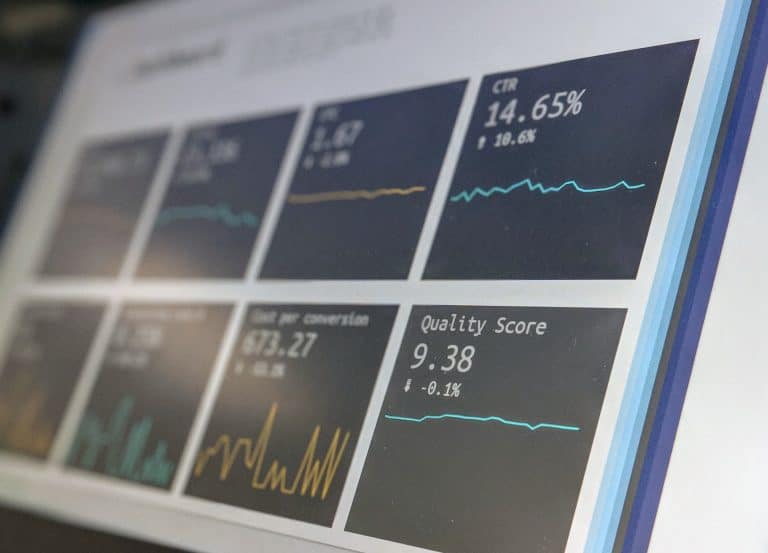
Before you invest in any tool, make sure to understand how the Core Web Vitals are measured so that you can compare the results and make informed decisions. The most powerful tool is the Chrome User Experience Tool, which reports directly on each of the vitals. Other tools such as Chrome DevTools, Google Search Console, Lighthouse, DeepCrawl, PageSpeed Insights, Web Vitals Chrome extensions, etc. are also excellent. To start, these tools will help you breakdown the web vitals into measured elements. But just understanding the factors involved is not enough, make sure to test and compare the results with alternate tools to ensure that the numbers are accurate before you act on the results.
How Do Core Web Vitals Impact SEO Performance?
Core Web Vitals are a critical component of your technical SEO. However, to improve performance scores you need to do more than just send your developer a list of metrics to fix. Without any context of the elements that need fixing, you will not be able to see any web performance improvements. Instead, make a list of all measured Core Web Vital elements to provide your developer with granular recommendations to improve your scores.
Why Should B2B Tech Organizations Care About Core Web Vitals?
Every B2B tech business aims to improve its website search rankings. With Google’s latest update, it’s imperative to pay closer attention to the user interface and enhance the website’s user experience. Solely focusing on optimizing content won’t be enough to reach a greater audience and achieve those desired search results’ improvements.
Also, it’s challenging to improve the organic search ranking of the website overnight. Consistency is the key, and it’s equally important to constantly experiment to optimize and improve the overall experience of your website. The sooner you adapt and improve upon the measurements recommended by Google, the better it will be for you to evaluate where your website stands and plan for improvements. It will also help you gain a competitive edge in the oversaturated software services industry.
Improve Website Design Based on Web Vital Measurements

Here are some simple best practices to keep in mind while measuring the Core Web Vitals for your website and making educated judgments to improve website design:
- Internet Speed or Server Issues: This is one thing that you cannot control. While testing the speed of your website, make sure that you are monitoring the speed of your internet as well to observe how the performance is impacted. Your website’s performance can be severely penalized due to server issues. Therefore, it’s necessary to monitor the performance over time to make the required adjustments.
- Optimizing Website Content: Content such as text, images, videos, icons, etc. need to be formatted to render properly on different devices and browsers.
- Cut Out Unnecessary Code: Only keep the code that is empirical to load the website and track insights. Additional or less important JavaScripts can impact the performance adversely. By cleaning up your code, you can improve website speed significantly.
- Be Mindful of Lazy Loads & Preload Key Elements: Move all the lesser important images and videos below the fold. By using the lazy load method, you can make less important visuals load at a regular speed, thus not directly impacting the user experience. You can also ensure that elements such as the webpage font and hero images are preloaded on the browser to improve your Largest Contentful Paint score. HOT TIP: Remember to design and categorize your webpage according to the hierarchy of content to achieve a seamless flow.
For More Web Performance Tips Talk To A Maven
With the help of these tips, you can consciously take action to improve the performance of your website and provide an excellent user experience for every client and prospective customer. That, paired with a robust SEO strategy will help your website rank higher on Google’s search and maintain that position.
If you want to get professional assistance to evaluate your B2B website’s ranking and optimize its performance, make sure to reach out to the seasoned marketing experts at Maven Collective Marketing. Our skilled team of marketing mavens will set you in the right direction to build and grow your B2B business with a captivating website that delivers a seamless experience. Reach out for a free consultation today!